Requests that keep moving.
Give homeowners a place to submit service requests, add supporting files, and check progress. Keep the details connected to the right property.
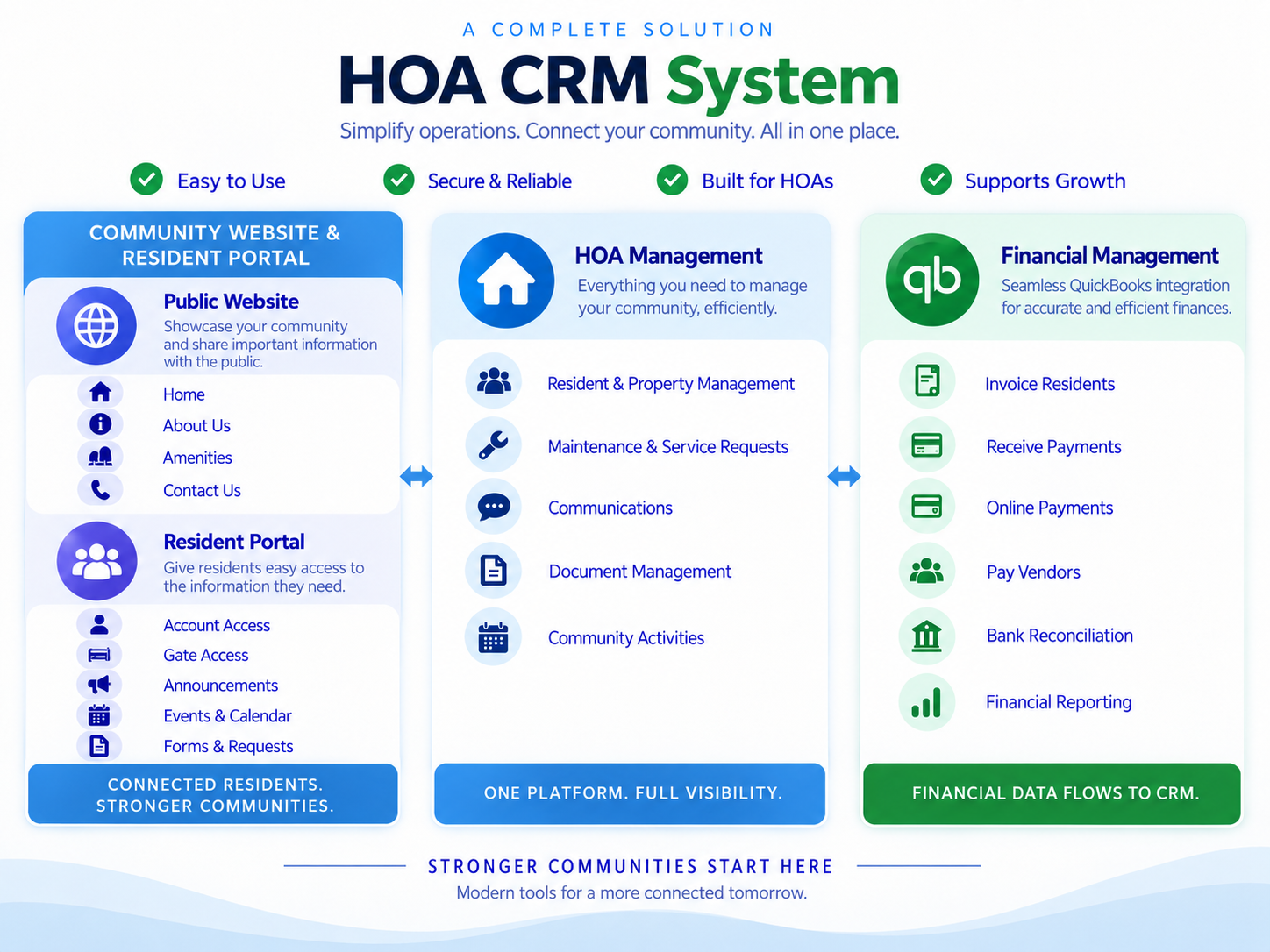
Bring requests, community information, and resident communication into one connected place. Give your team a clearer view of the work—and homeowners a simpler way to help themselves.
per lot per month
Follow requests, supporting files, and property activity.
Give residents a place to find answers and check updates.
Bring announcements, events, and feedback together.
Practical tools for your management team, a dedicated portal for homeowners, and visitor access for your staffed gates.
Keep property records, requests, and community communication in your daily workflow. Gather resident feedback so your next conversation starts with a clearer picture.
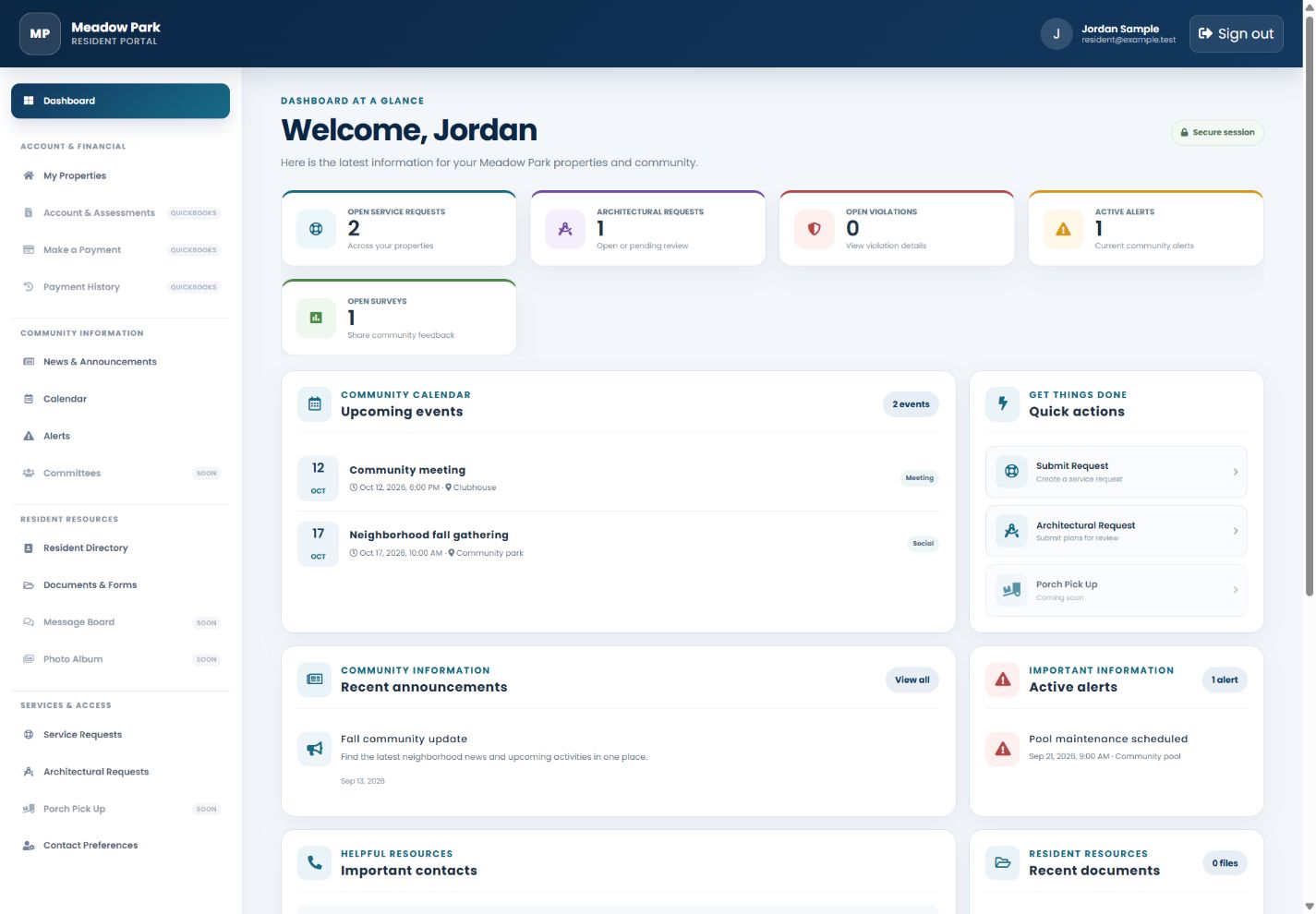
When homeowners can find a document, submit a request, or check an update on their own, your team has more room to focus on the work that needs attention.
Connect your gate staff and residents around one visitor access system. Give attendants the information they need to check expected guests, follow resident instructions, and keep a record of each entry decision.
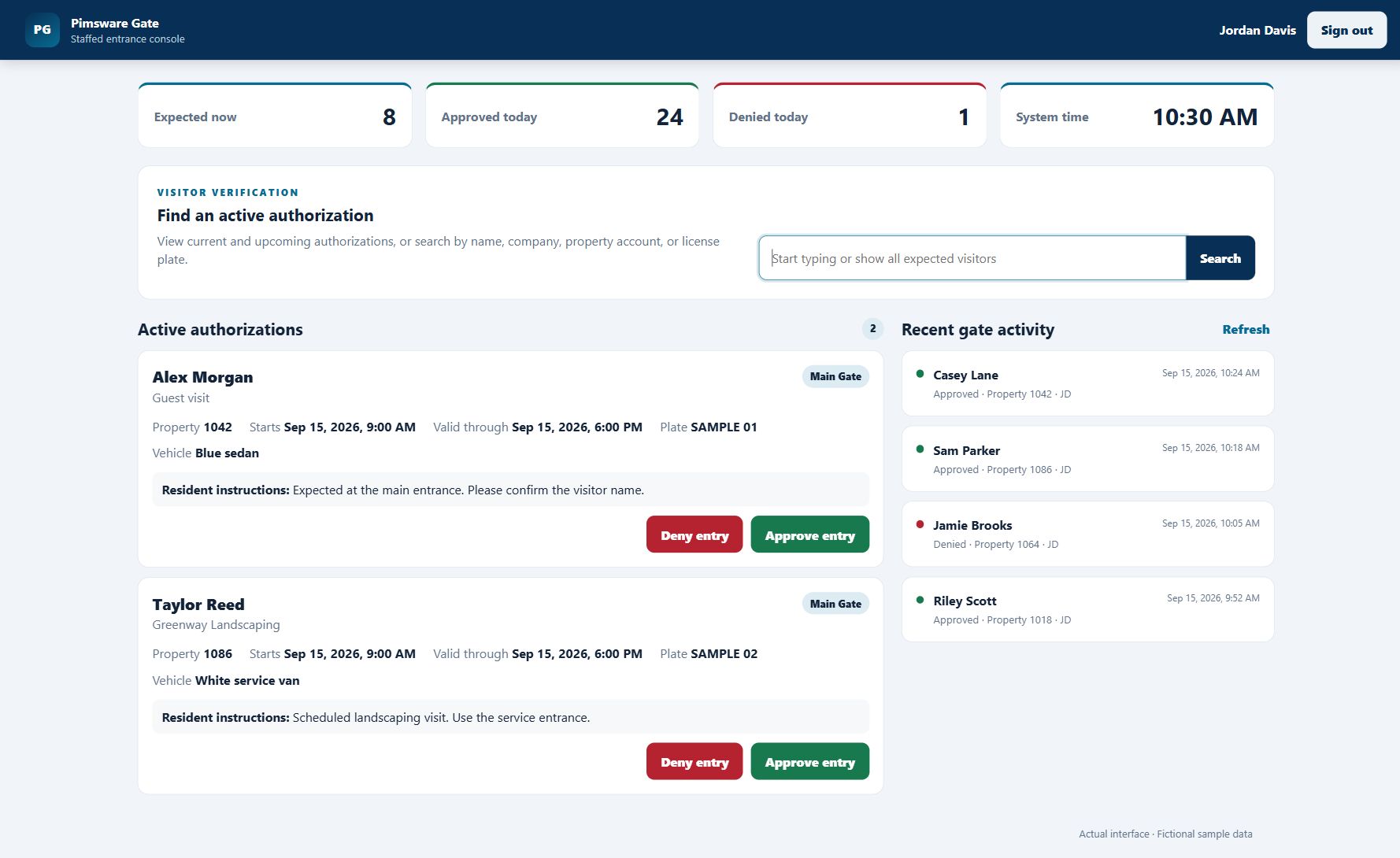
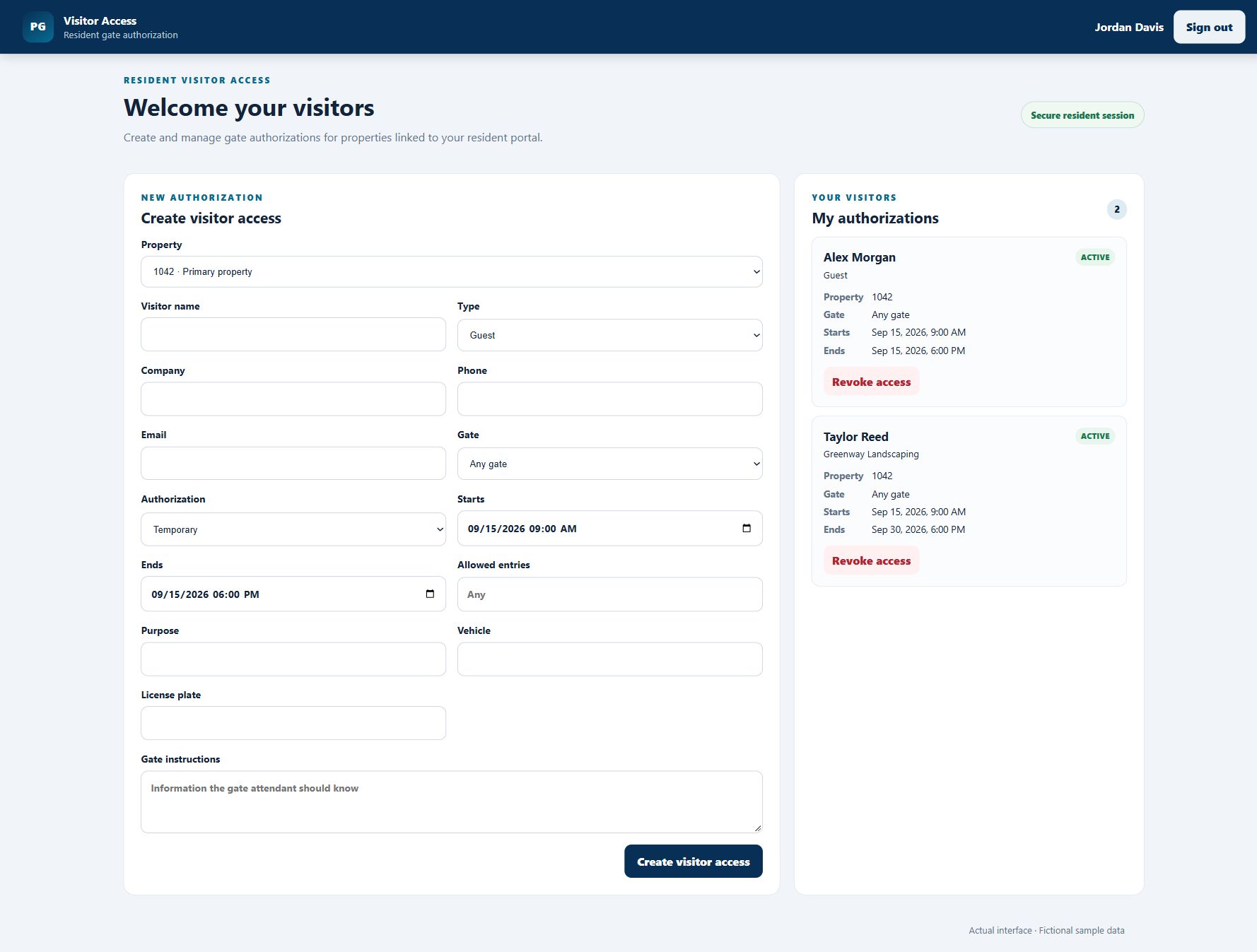
Homeowners can arrange visitor access for their linked properties before a guest arrives. From family visits to scheduled service calls, residents can share the details gate staff need in one place.
Bring the questions, requests, and decisions of community life into a more organized day.
Give homeowners a place to submit service requests, add supporting files, and check progress. Keep the details connected to the right property.
Let homeowners submit architectural requests and supporting plans, then follow the status of their request.
Share announcements and important alerts. Help residents find updates without searching through old messages.
Put community documents and forms in one convenient place, with property profiles available to linked residents.
Help homeowners keep up with upcoming meetings and community events through a shared calendar.
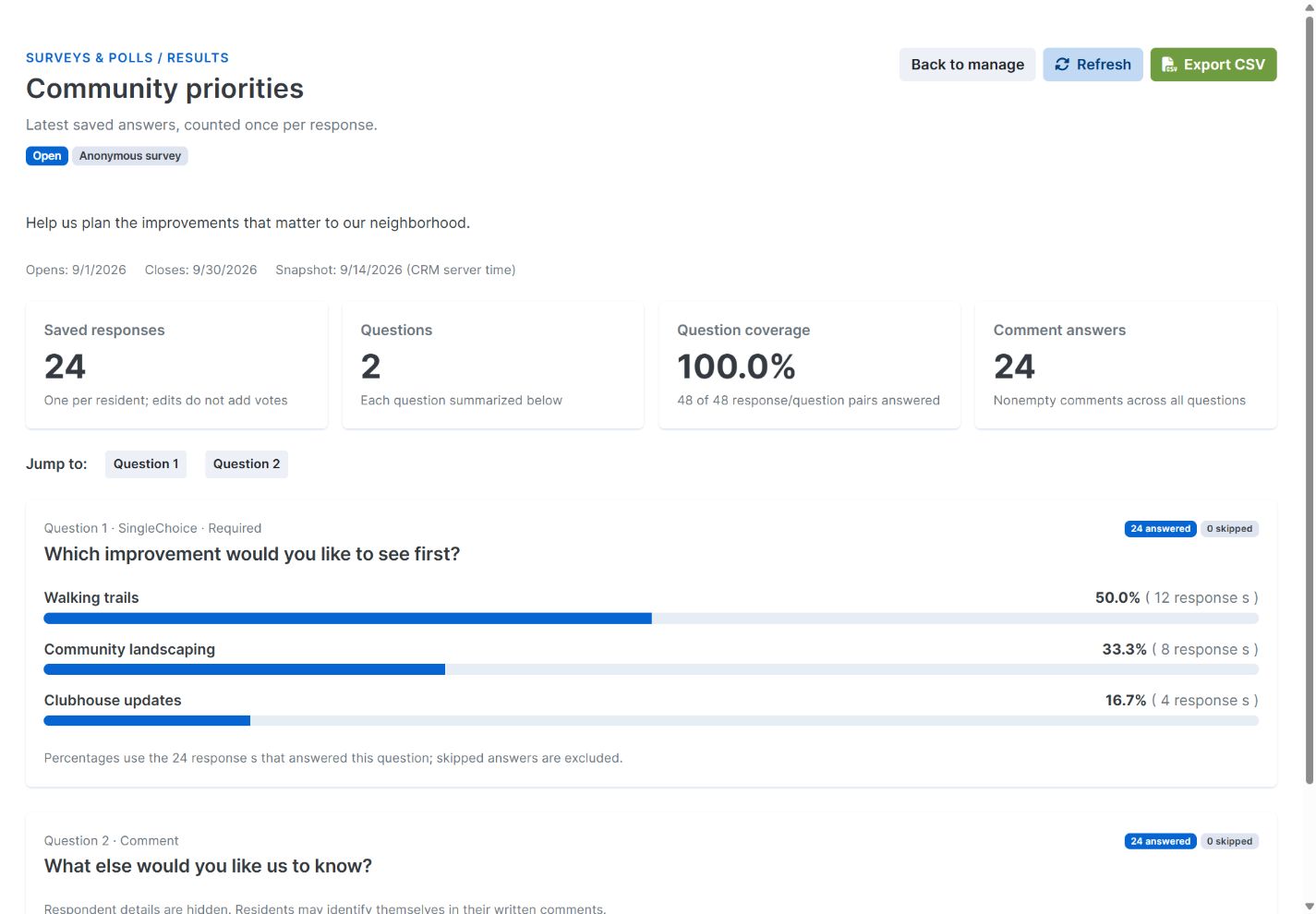
Create community surveys, invite feedback, and review results to better understand what matters to residents.
No need to figure everything out first. Start with what you want to improve.
Use our contact page to tell us what you need. Our team will follow up to learn about your community and arrange a demo.
Walk through management, the resident portal, and staffed gate access, with time for your questions.
Talk through your current process, priorities, and setup needs to see whether Pimsware is a fit.
Pimsware HOA is for community management teams and HOA boards looking for a more organized way to work with homeowners. Managers handle daily work, while residents use a dedicated portal for information and requests.
Homeowners can review linked properties, submit service and architectural requests, follow request status, read announcements, find documents and events, and participate in community surveys.
Resident accounts are linked to authorized properties. Property details and requests are shown according to those links, while community resources are made available by management.
Residents create visitor authorizations for their linked properties, including access dates and instructions. Gate staff look up expected visitors, review those details, and record approved or denied entry. The system supports staffed gate operations.
We’ll walk through the management workspace, resident portal, and gate access options, learn about your current process, and discuss your community’s needs and setup questions.